Computing
I started with a BBC Micro around 1983 and have been dabbling ever since.
The Beeb was replaced with a PC, an IBM machine sourced from a work colleague who was into PC construction. This was replaced with a Dell machine, after which I moved to Evesham. When the Evesham machine starting playing up I made the life-changing decision to get an Apple iMac, which is now my platform of choice, although I run both Windows XP and Vista as virtual machines using the superb VMware Fusion program. I am still amazed how virtualisation emulates almost completely a physical installation.
Here’s my present set up:
20” iMac
Apple Cinema Display
Time capsule and Iomega Mini-Max
13” MacBook Pro
Netgear wireless router
Novatech Ion Fusion
Samsung 193T monitor
Belkin 650VA UPS
Epson Perfection 4490 photo scanner
20” iMac
The Mac is so much easier than Windows. Everything just seems to work and programs install without a hitch; hardware is identified and configured without a fuss.
It took a while to get used to the different environment but I think I'm now pretty much up to speed with the Mac way of doing things. In fact I hardly use Vista, the only remaining reason for doing so being to access Expression Web, my web authoring software. However, my recent acquisition of RapidWeaver for the Mac has relegated my use of Expression web considerably.

Back to top
Apple Cinema Display
I had been using a Samsung 19" monitor that I had bought for my Evesham PC as a second screen for the iMac. This worked OK but the screen size and resolution were different to the iMac, meaning that when open windows were moved between screens they reconfigured to match the different settings.
I decided, therefore, to look for a second screen to match the 20" iMac but found it difficult to find a screen of the right size and resolution that had good reviews. The only one that did was the Apple Cinema Display, but it was expensive. After deliberating for quite a while I went for the Apple monitor and must say I'm pleased I did. As with all things Apple the build quality is superb and the display is first class.

Back to top
Time Capsule & Iomega Mini-Max
The Apple Time Capsule acts as a backup hub for my iMac, my Macbook and Helen’s Macbook. The Time Machine program on each computer automatically takes regular backups of all files. It is bridge-connected to my existing Netgear router.

Connected to the Time Capsule is a 500Mb Iomega Mini-Max, which is built to harmonise with the Apple range. The Time capsule supports only one USB-connected device but the Iomega Mini-Max has a built-in USB hub.
Connected to this hub is a 500G SATA drive in a drive enclosure, which is my main data drive. The Mini-Max itself acts as a backup for this data drive. I use the Super Flexible File Synchroniser program to keep the data drive and its backup synchronised. This is a Windows version running in my Vista virtual machine. There is now a Mac version but it’s hardly worth buying another licence.

I have also connected my printer to the network through the Time Capsule via the Mini-Max. Everything works fine, and I can access my files (and print) from the iMac, from the XP and Vista virtual machines, from my new Apple Macbook and from Helen's Macbook. I've also rigged up a Wireless connection, with printing capability, from the new Novatech Ion Fusion machine that is running Ubuntu.
The only downside is that the Gigabyte Ethernet on the Time Capsule doesn't provide anywhere near gigabyte performance, making routine large file transfers somewhat impracticable. However, for most day-to-day stuff everything works fine.
Back to top
13” MacBook Pro
I bought an Acer netbook a couple of years ago but found it a bit restricting. I gave it to my grandson Jamie and invested in a MacBook as a replacement.

In use it is a dream compared with the netbook. Obviously more powerful and with a more usable screen, plus the tracker pad is a delight to use, especially with the gesture features for scrolling etc.
I’ve added Windows 7 as a BootCamp partition so this covers all stations if I’m out and about. In other respects I’ve kept the machine lean in terms of added software, which gives me a very quick boot time. It also serves as a backup machine should the trusty iMac ever fail, which is an important consideration considering how dependent I now am on the internet, with many financial and utility services now being paper free.
Back to top
Netgear wireless router
This is my primary router but it is now bridge-connected to the Apple Time Capsule. It has given very reliable service.

The iMac is connected by Ethernet, as is the bridge-connected Time Capsule. My Macbook and Helen's laptop are WiFi connected, as is the new Novatech Ion Fusion machine that's running Ubuntu.
Back to top
Novatech Ion Fusion
This is effectively a netbook in desktop guise and as such is small, power efficient and, relatively cheap. I've installed Ubuntu on it and everything is working fine.


Ubuntu is a very user-friendly operating system and set up is nearly as slick as the latest Windows OS. WiFi was configured easily through a Belkin dongle (the Ion Fusion doesn't have WiFi) and enabling the network-connected printer, while requiring a bit of IP address configuration, was really quite painless. It is a natty little machine and I have made a purpose built cradle so it could be fitted under the small desk unit in the room.


Specifications

Back to top
I use my Samsung monitor on this set-up.
Back to top
Belkin 650VA UPS
As I'm now in the 'country' with occasional power dips being experienced (it's the overhead lines being blown about) I decided to invest in a UPS. It works a treat and also includes software that monitors everything as well as shutting down the PC automatically (and gracefully) if the power goes off. This software, however, doesn't work with the iMac so I'm not actually using it. It also has telephone line surge protection that is ADSL rated, so my router is now protected as well.
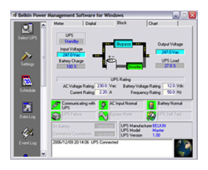

The UPS is currently protecting the iMac, a USB powered hub, the Apple Time Capsule with backup Iomega external drive, three other external drives and my router.
Back to top
Epson Perfection 4490 photo scanner

This replaced my trusty old Canon scanner, which was parallel port connected, and this USB2 replacement is much, much faster.
Scanning direct to PDF and email is useful, and the photo scanning attachments have allowed me to start committing some of my old negatives to digital storage.
Specifications:
- Up to 4800 x 9600 dpi resolution
- Up to 48 bit scan depth
- Digital ICE Technology for restoration
- Scan direct to PDF
- Scan 35mm film
- One touch scanning
- Hi-speed USB 2.0 interface
- Windows & Mac compatible
Back to top